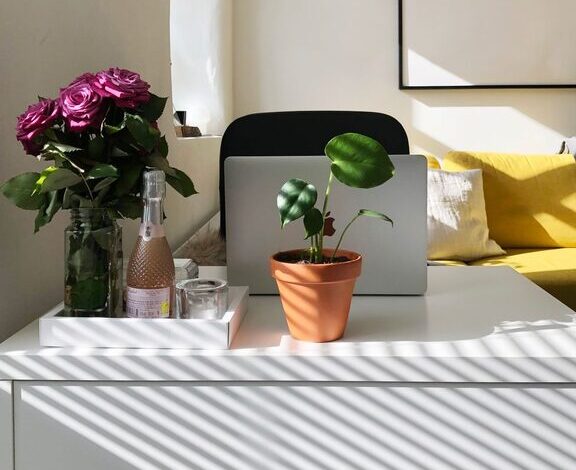

Tips for Creating a Comfortable and Productive Home Office Space
Working from home has become more common than ever, making a well-designed home office essential. A comfortable and productive workspace can improve focus, reduce stress, and enhance your overall work experience. Whether you have a dedicated room or just a small corner, these tips will help you create a home office that supports your best work.
Choose the Right Location
Selecting the right spot for your home office is the first step in creating a productive workspace.
– Quiet and Private: Look for a location away from high-traffic areas to reduce distractions. If privacy is limited, noise-canceling headphones can help.
– Natural Light: Position your desk near a window if possible. Natural light boosts mood and helps maintain your natural body clock.
– Space to Move: Ensure there’s enough room to stretch, store supplies, and accommodate your equipment comfortably.
Invest in Comfortable Furniture
Comfort is key when you spend hours working at your desk.
– Ergonomic Chair: Choose a chair with good lumbar support, adjustable height, and comfortable padding. This helps prevent back and neck pain.
– Proper Desk: Your desk height should allow your forearms to rest parallel to the floor while typing. Adjustable desks are great for switching between sitting and standing.
– Footrest and Accessories: Use a footrest if your feet don’t rest flat on the floor. Wrist rests and monitor stands can also improve comfort.
Optimize Your Desk Setup
A tidy, functional desk setup enhances focus and efficiency.
– Declutter: Keep only essential items on your desk to minimize distractions.
– Organize Supplies: Use drawers, trays, and containers to keep stationery and tools orderly.
– Monitor Position: Your screen should be at eye level and about an arm’s length away to reduce eye strain.
– Keyboard and Mouse: Place these close enough to avoid overreaching, and consider ergonomic models to reduce wrist strain.
Control Lighting and Glare
Proper lighting is crucial for reducing eye fatigue and maintaining alertness.
– Task Lighting: Use a desk lamp with adjustable brightness to illuminate your work area.
– Avoid Glare: Position your monitor perpendicular to windows and use blinds or curtains to control sunlight.
– Ambient Lighting: Soft overhead lighting can help balance the room’s brightness without causing harsh shadows.
Personalize Your Space
Adding personal touches can make your workspace more inviting and motivate you.
– Plants: Small indoor plants improve air quality and create a calming environment.
– Artwork and Photos: Display artwork or photos that inspire or relax you.
– Colors: Choose wall colors and decor that promote focus and calmness, such as soft blues or greens.
Keep Technology Up to Date
Reliable equipment keeps your work running smoothly.
– Fast Internet: Ensure a strong internet connection to avoid disruptions during video calls or downloads.
– Quality Devices: Invest in a good-quality webcam, microphone, and headphones for clear communication.
– Backup Power: A surge protector and backup battery can protect your devices during outages.
Manage Noise and Distractions
Reducing noise helps maintain concentration during work hours.
– Soundproofing: Use rugs, curtains, or acoustic panels to absorb sound and reduce echo.
– Noise Machines: White noise machines or apps can mask distracting sounds.
– Set Boundaries: Communicate work hours with family or roommates to minimize interruptions.
Establish a Routine
Creating habits enhances productivity in your home office.
– Set Work Hours: Stick to a consistent schedule to separate work from personal time.
– Take Breaks: Short, regular breaks prevent burnout and keep you energized.
– Organize Tasks: Use calendars or to-do lists to prioritize and track tasks.
Keep It Clean and Organized
A clean office supports a clear mind.
– Daily Tidying: Spend a few minutes at the end of each day to straighten your desk.
– Regular Deep Cleaning: Dust and clean your workspace weekly to maintain hygiene.
– Cable Management: Use clips or sleeves to organize cords and reduce clutter.
Final Thoughts
Creating a comfortable and productive home office doesn’t have to be complicated. By investing in the right furniture, optimizing your workspace setup, controlling lighting, and maintaining a good routine, you can enjoy a work environment that supports your success and well-being. Start small, and gradually tailor your office to fit your needs and preferences for the best results.